.png)

Objective: Create your own currency. Using illustrator and a little photoshop make a fictitious currency. Study money from around the world to be inspired. Your project should include typography, patterns, and graphic vector elements that you create. Consider the function of money and how you can comment on its purpose both visually and conceptually.

STEP 1: Watch and follow along this TUTVID tutorial at your own pace
Using the PENTOOL by TUTVID on YOUTUBE »»»»
STEP 2: DOWNLOAD THE WORKSHEETS BELOW
Click here for the PENTOOL WORKSHEETS»»»»»»»

J.S.G Boggs (BOGGS BILLS)
After reading his bio on wikipedia check out the video below
Link to a video of J.S.G Boggs in action
MARK WAGNER INC. »»»
HOW TO USE THE REFINE MASK TO SELECT HAIR IN PHOTOSHOP
Click here
USING THE ROTATE TOOL click here

Over all, I'm not very good with abstract art, so I basically just tried to match the shading of the selfie I used to make the mask for the border.
I also had already removed all the backgrounds I needed to before the tutorial was sent. I tested the methods to see if they could improve the results but found they didn't do so.
I ended up with 36 layers, 4 of which contained only text.


PROJECT 2: Create an Esoteric Self Portrait using at least 25 layers to express the real you in this project. What does Esoteric mean you ask (read below): The image should be 8 x 10 amd 300 dpi
-Use selection tools (marquee, lassos, and wand) to extract photographic elements from their background
-Use layer masks to reveal only selected parts of a layer
I would review all the quick videos under the photoshop help _ they are short and give good information especially selections and masks
SELECT AND MASK by TUTVID __ this is a good one
https://www.youtube.com/watch?v=nk21_0Ozwq8
LAYER MASKS VIDEO PHOTOSHOP CAFE
https://www.youtube.com/watch?v=sbS5oUuGbGY
Inspiration
https://www.michaelwaraksa.com/


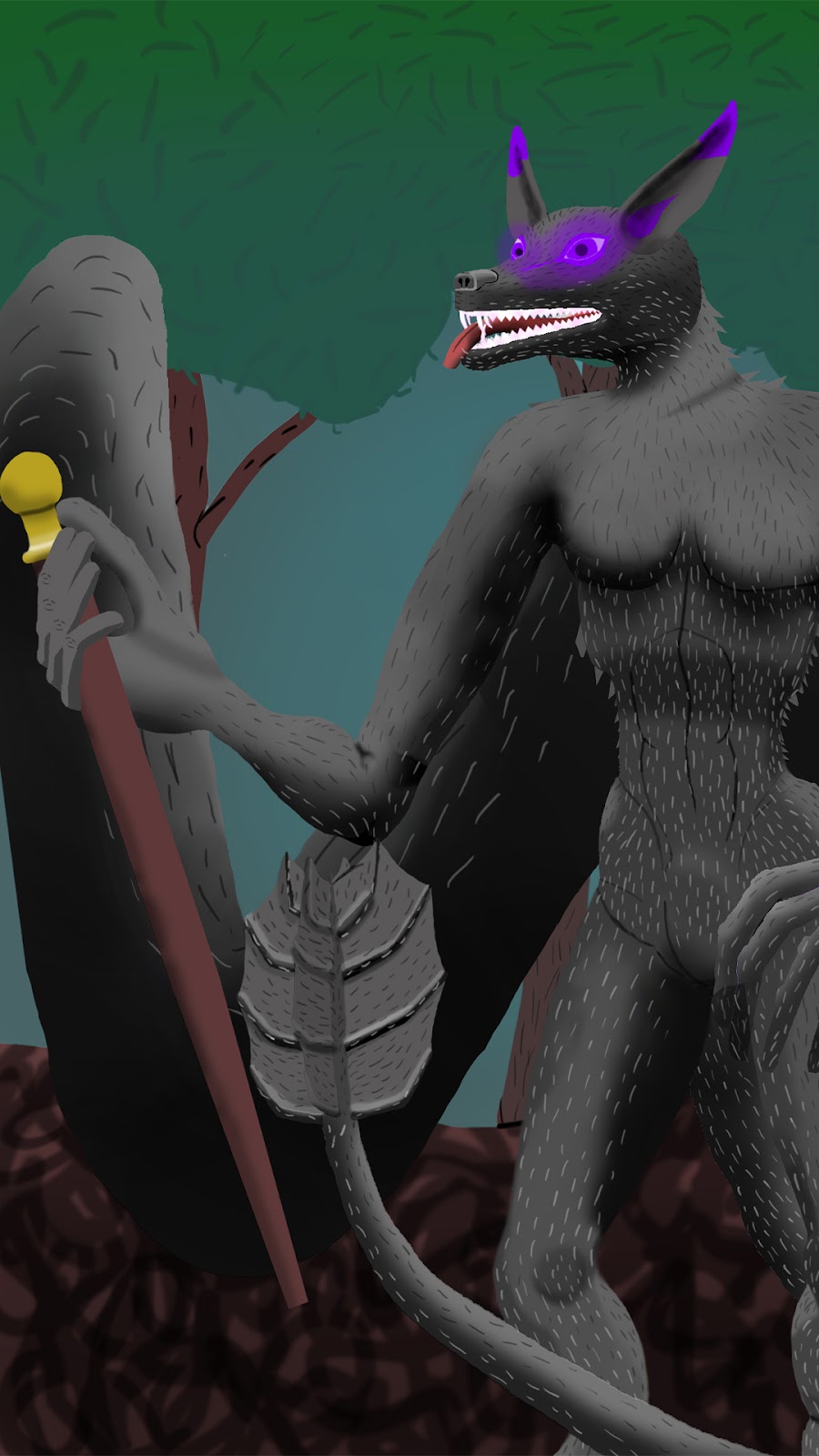
This is my character from DND across the homebrew filled
game of Curse of Starhad. They are a custom species with some characteristics of kitsune, ender-men and eldritch horrors.
The images of them are ordered from newest to oldest.
I did not realize how thoroughly I attempted more than I could accomplish, thus the hasty backgrounds and exchange of items. I had much more planed. I didn't git to make their eyes look like they glow nor a list of other important things


.jpg)
.png)


